
Lanes
Your IDE's Git log, lifted out into its own app: a fast, lightweight Git client for macOS. From the commit graph to commit, push and rebase, without opening an IDE.
$ brew install --cask flashrifle/tap/lanes
Line 1 · History
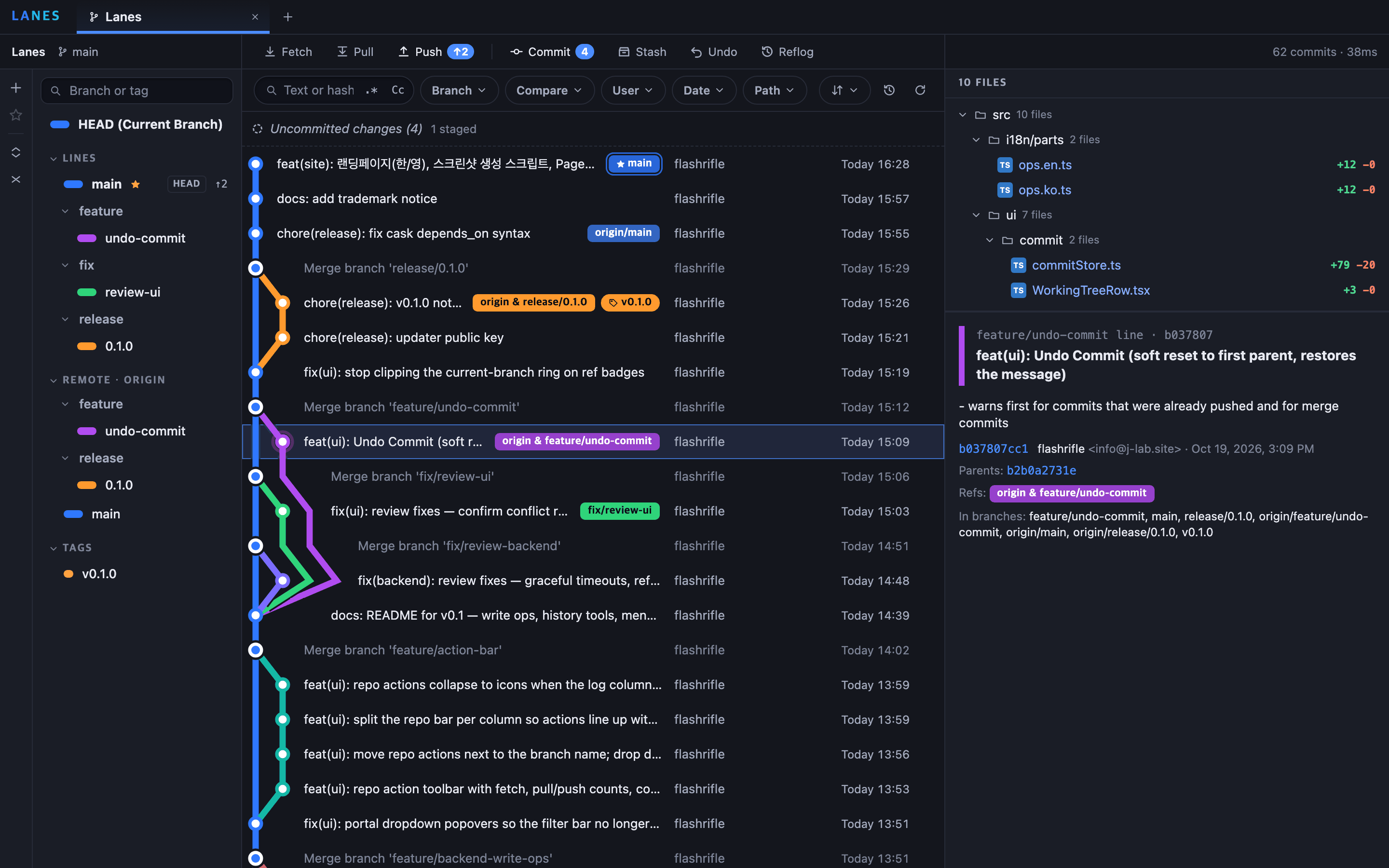
A commit graph you can read at a glance
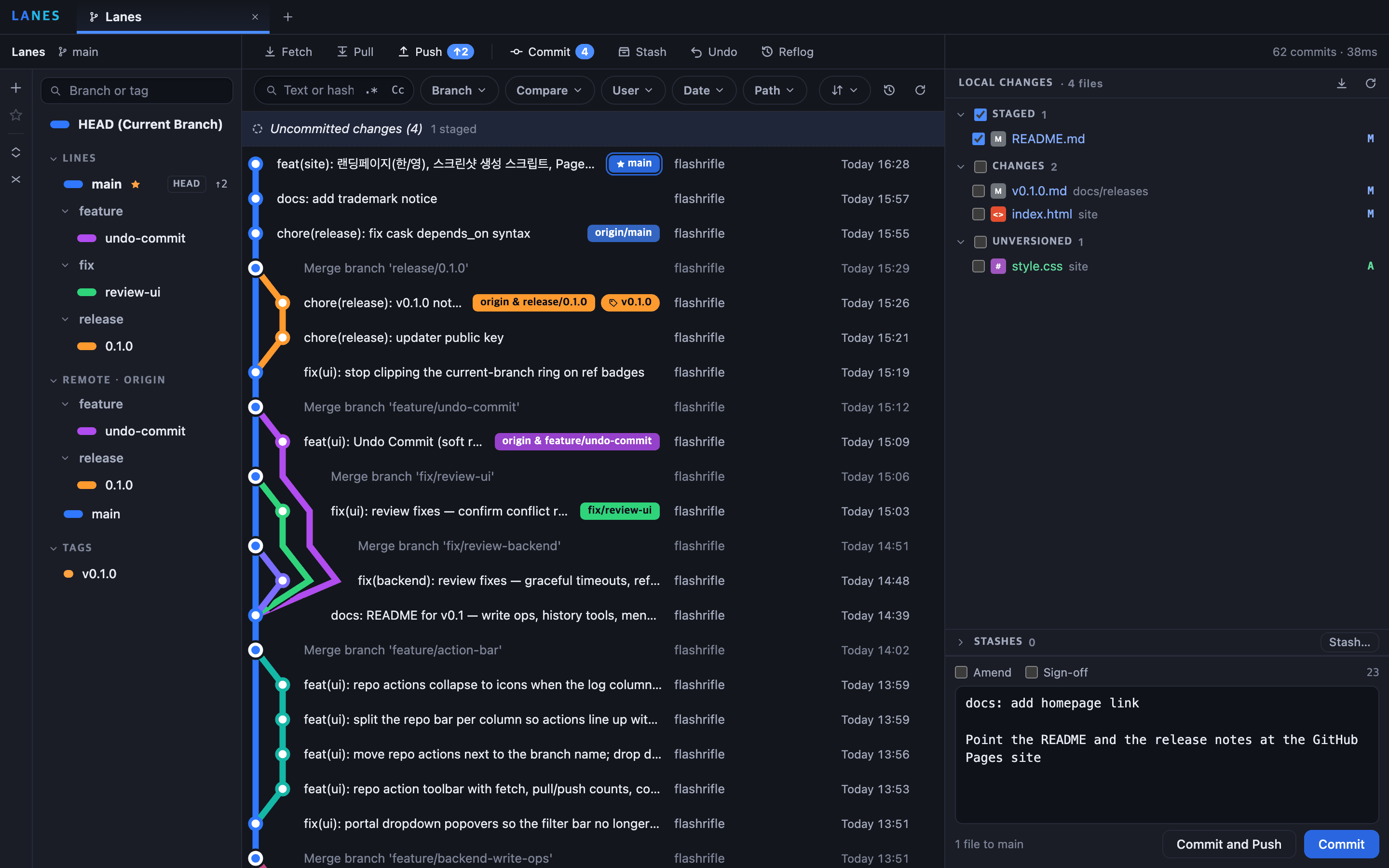
Lane layout and "Standard" (Bek) sorting, drawn like a transit map: straight lines and angled bends, one colour per branch from start to finish, and merge commits shaped like interchange stations. Scrolls smoothly past 100,000 commits.
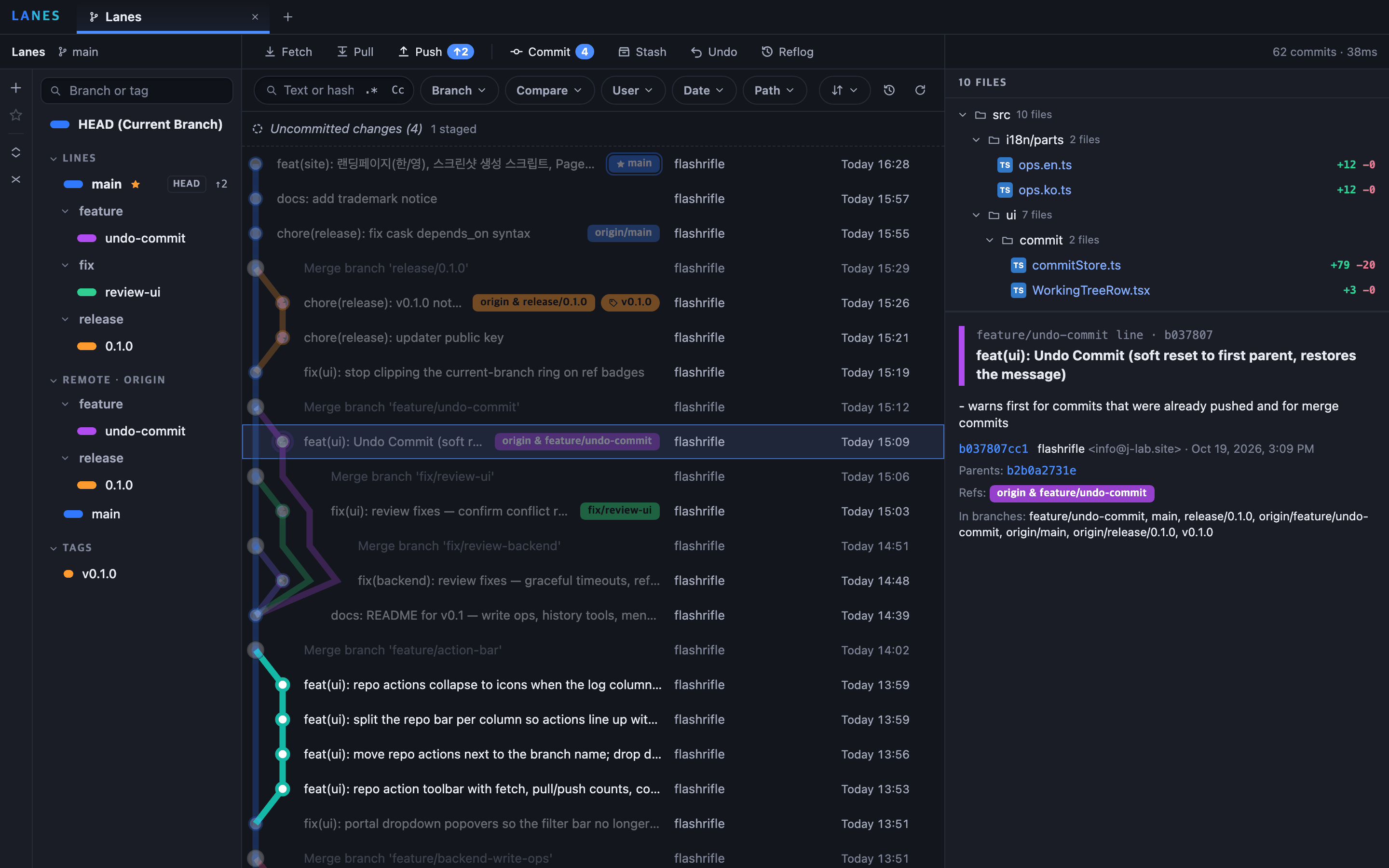
- Line highlight — click a line or a branch badge to bring that branch forward and dim the rest
- Filters — text or hash (regex, match case), branch, user, date and path; filtered history stays connected with dotted lines
- Branch compare — commits only on one side, both counts and the merge base
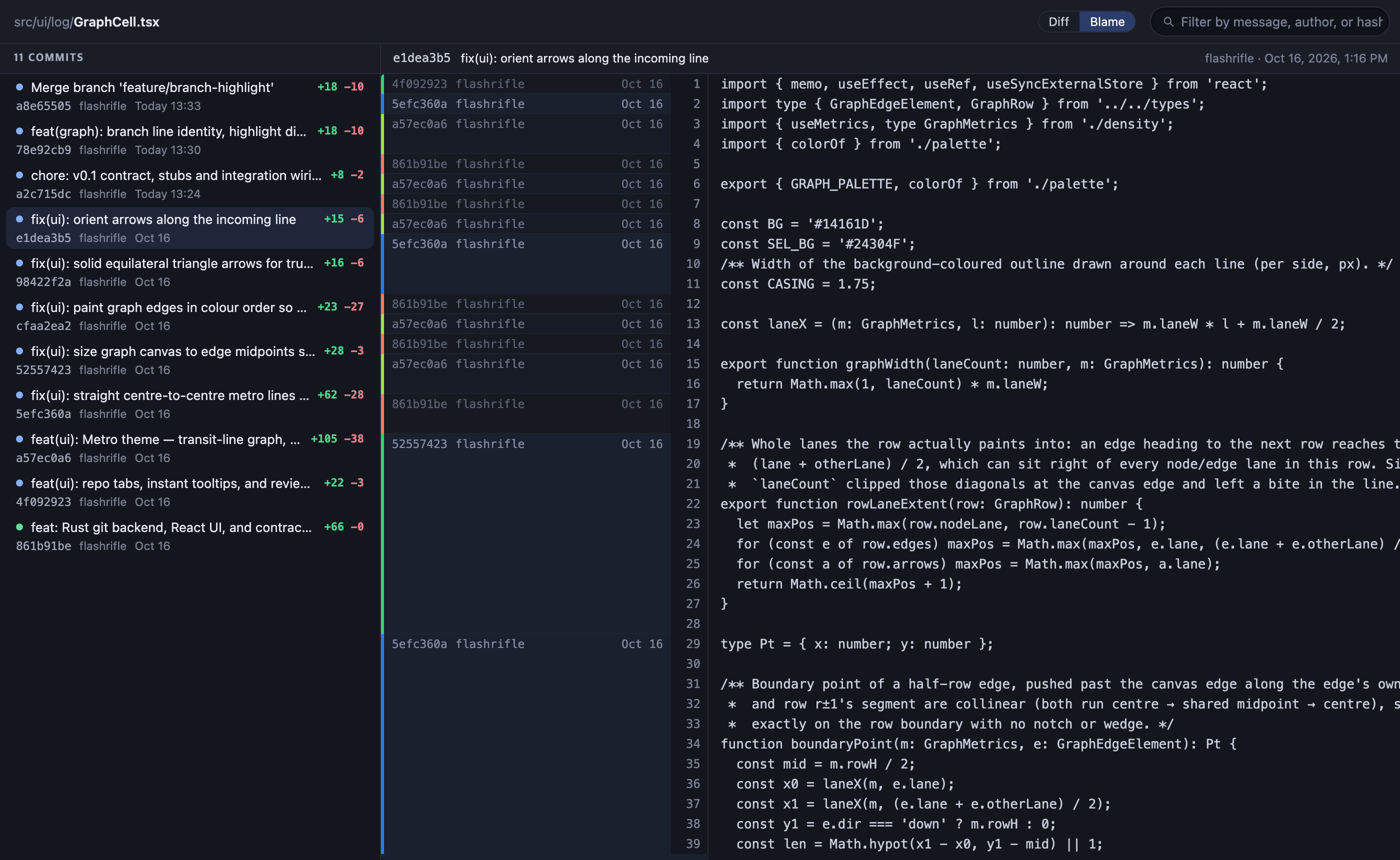
- File history and blame — follows renames; click a blame line to jump to its commit
- History for selected lines — only the commits that touched those lines (
git log -L) - Reflog — find lost commits, check them out or branch from them
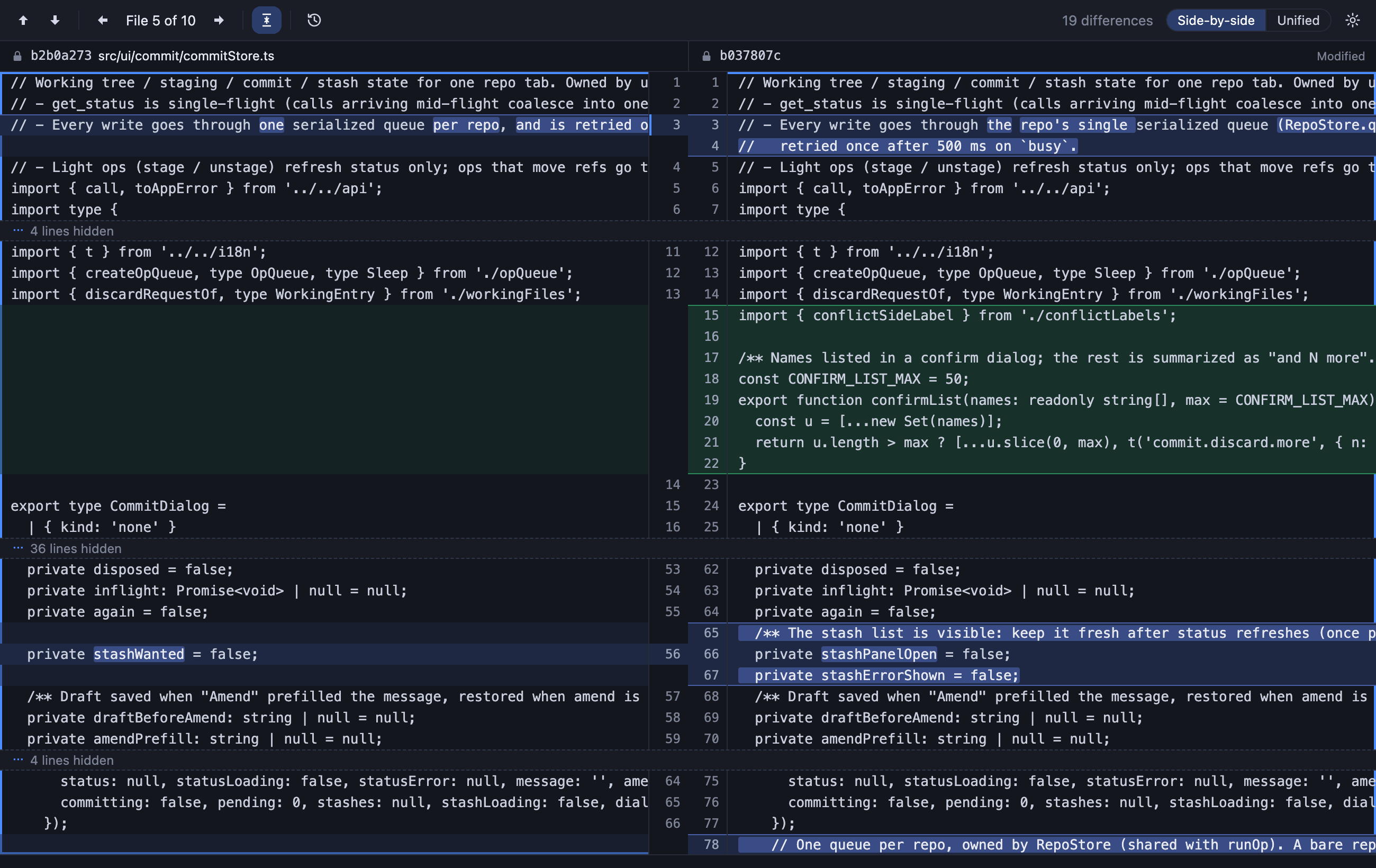
- Side-by-side diff window — word-level highlight, F7 to the next change
Line 2 · Write operations
From commit to rebase, all inside Lanes
See your uncommitted changes in the top row of the log, stage by file, hunk or line, and commit. Risky operations always ask first.
- Uncommitted changes — Conflicts, Staged, Unstaged and Untracked at a glance
- Staging — per file, or per hunk and line in the diff window: stage, unstage, discard
- Commit — amend, sign-off, commit and push in one go, and Undo Commit
- Push — preview outgoing commits, set upstream, push tags; force push only as a confirmed
--force-with-lease - Stash — include untracked, keep index, selected files only; apply, pop, drop
- Merge and rebase — progress (step N of M), Continue / Skip / Abort, Accept Ours or Theirs for conflicts
- Cherry-pick, revert, reset, tags — from the commit context menu; a hard reset needs the branch name typed in
- Action bar — Fetch, Pull ↓n, Push ↑n, Commit, Stash and Reflog above the log
Line 3 · Menu bar
Without opening a window
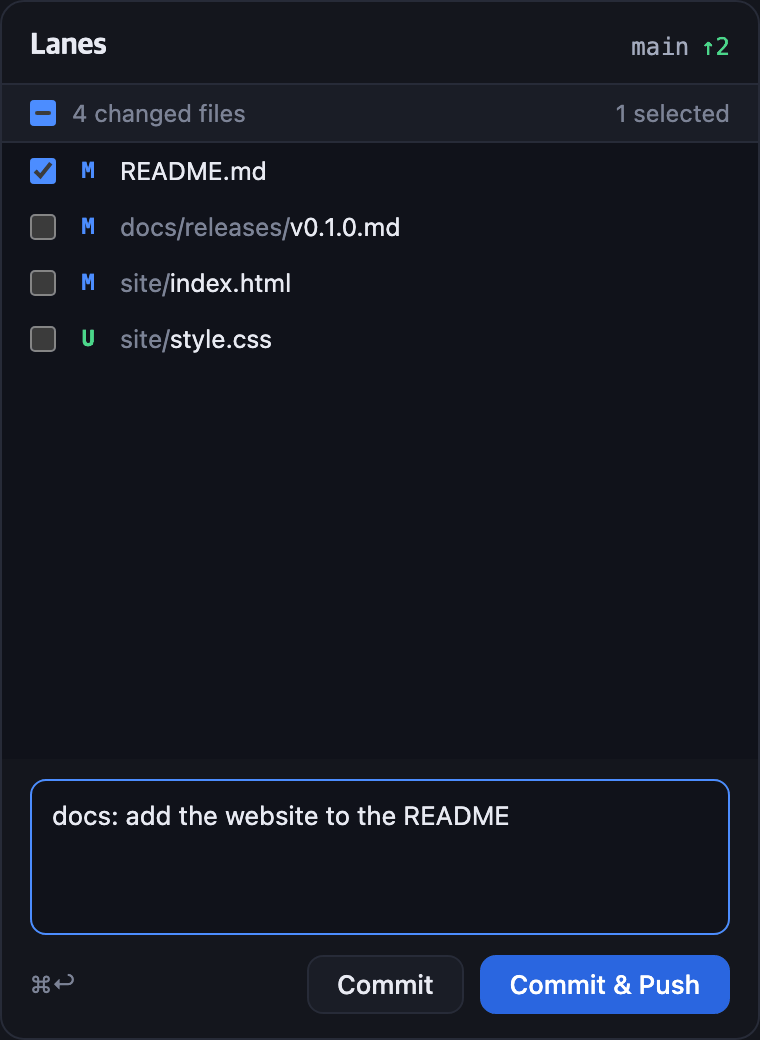
The menu bar icon shows how many commits are waiting to go out (↑) and come in (↓). Each repository lists its branch, change count and last fetch, with Pull, Push and Fetch one click away.
- Quick commit — pick files in a small popover under the menu bar and commit, or commit and push
- Stays around — keeps running in the menu bar after the main window closes (optional)
- Background fetch — every 15, 30 or 60 minutes; off by default
- Repository menus — per-repo status and "Open in Lanes"
Line 4 · Everything else
Made for every day
- Tabs — several repositories as tabs; tabs and settings are remembered, and views refresh when a repo changes
- English and Korean — follows the system language, or pick one in Settings
- Settings — row density, date format, git path, external editor, update checks
- Updates — new versions are announced and installed in the app (can be turned off)
- Issue reports — a GitHub issue form prefilled with app, OS and git versions and the last error
- Shortcuts — ⌘T open a repo, ⌘1–9 switch tabs, ⌘R refresh, ⌘↩ commit
No telemetry
Lanes collects no usage data, and your repositories never leave your Mac.
Nothing collected
No telemetry, analytics, usage statistics or automatic crash uploads.
One network request
The only automatic request is the update check against GitHub, and you can turn it off.
git runs when you say so
Fetch, pull and push happen only when you run them, or when you turn on background fetch.
You send issue reports
Lanes only opens a prefilled form in your browser; you review it and submit it yourself. Your user name in paths is masked as ~.
FAQ
Is it really free?
Yes. Lanes is open source under the Apache License 2.0, with no paid tier and no account. The source is on GitHub.
Is it notarized by Apple?
Yes. The dmg is signed with a Developer ID and notarized by Apple, so it opens without Gatekeeper warnings. It is a universal app for Apple Silicon and Intel.
Which git does it use?
The git already on your Mac (2.23 or later): the Xcode Command Line Tools or Homebrew git both work, and you can set the path in Settings. Your git config, credentials and hooks apply as usual.
Where does my data go?
Nowhere. There is no telemetry; the only automatic network request is the update check against GitHub, which you can turn off. See Privacy.
Does it run on Windows or Linux?
Not yet. Lanes currently supports macOS 11 and later. It is built on Tauri, so other platforms are possible; open a GitHub issue if you need one.